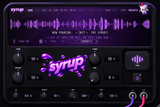
Download Syrup Hub
SYRUP · START HERE
Pour it in.
Everything runs through Syrup Hub: it activates your licence, installs the plug-in (VST3 / AU / Standalone) and keeps it updated.
1 · Download the Hub
Download for Windows Download for macOS
Windows 10/11 (64-bit) · macOS 10.15+ (Apple Silicon & Intel). On Windows, if SmartScreen appears, click More info → Run anyway.
2 · Sign in
Open the Hub and sign in with the e-mail you used at checkout and your order number (for example #1001 — it is in your order confirmation e-mail).
3 · Install
Click Install on Syrup. The Hub activates this computer automatically. Then rescan plug-ins in your DAW and load Syrup on your vocal.
Good to know
- Own forever: works on 2 computers. Move it any time from the Hub (Licenses → Remove this computer).
- Monthly: stays active while your subscription is active; cancel any time from your account.
- Updates are free and appear in the Hub.
Problems? Contact us with your order number — we answer fast.